NotiZen Pro

Turn Notion databases into powerful Android widgets

Start with one widget and one Custom View. Use Pro for multiple widgets, advanced filters, supported property editing, header metrics, visibility controls and Backup & Restore.

Get it on Google Play

Android app. Notion stays the source of truth. Billing is managed through Google Play.

NotiZen Widget showing a Notion database on an Android home screen

What NotiZen does

A focused Android layer for the Notion databases you already use

NotiZen does not replace Notion. It turns selected Notion databases and Custom Views into practical Android widgets for glancing, filtering and supported quick updates.

NotiZen reads selected Notion databases

Connect Notion, choose the database views you want available, then place those views on your Android home screen.

Notion remains the source of truth

Your workspace, pages and database structure still live in Notion. NotiZen is the widget layer built around that data.

Android becomes the home screen layer

Use widgets for quick visibility and supported actions, instead of opening Notion for every small check or update.

Free vs Pro

Start light, upgrade when your home screen needs more workflows

Free keeps NotiZen useful after the trial with one widget and one Custom View per widget. Pro is for multiple widgets, advanced configuration and supported widget actions.

Capability
Free
Pro
Connect Notion
Included
Included
View selected Notion databases on Android
Included
Included
Widgets after trial
Keep one widget
Multiple widgets
Custom Views after trial
Keep one Custom View per widget
More Custom Views
Advanced filters
Pro feature
Included
Custom sorting
Pro feature
Included
Duplicate Custom Views
Pro feature
Included
Supported property editing from widgets
Pro feature
Included
Advanced layout customization
Pro feature
Included
Header metrics
Pro feature
Included
Advanced visibility controls
Pro feature
Included
Backup & Restore
Pro feature
Included
Priority support for Pro users
Community and standard support
Included
Cancel subscription
No subscription
Cancel anytime through Google Play

The Android app remains the source of truth for entitlement rules. This page mirrors the current Free and Pro behavior without adding extra billing or pricing logic.

Before and after

From hidden Notion dashboards to visible home screen workflows

NotiZen does not replace your workspace. It gives the views you already rely on a faster, more visible place to live.

Before NotiZen

  • Open Notion every time
  • Navigate through pages and databases
  • Open Notion just to change a status or date
  • Small edits become full app sessions
  • Lose visibility of important workflows
  • Mobile dashboards stay hidden inside the app

After NotiZen

  • Your Notion workflows live on your Android home screen
  • Free keeps one widget with one Custom View after trial
  • Quick glance without opening Notion
  • Use Pro to update supported properties from the widget
  • Use Pro for multiple widgets and advanced filters
  • Keep Notion as the source of truth while acting from the home screen

Notion widgets vs NotiZen

Notion widgets are useful for access. NotiZen is built for custom database widget views on Android. Pro adds advanced filters, custom sorting, supported property editing, multiple widgets and additional Custom Views.

Not just tasks

Build widget views for the Notion databases you use every day

Bring focused Notion database workflows to your Android home screen with the fields that matter for each use case. Pro adds advanced filters and additional workflow views.

Daily dashboard

A filtered view for the items, dates and checks that shape your day.

Dates, checks, status

Project tracker

Keep active projects, owners, priorities or next steps visible on the home screen.

Owners, priority, next steps

Routine tracker

Pin routine databases, recurring checks or habit rows without turning them into a separate app.

Checkboxes, recurrence

Content calendar

Surface drafts, publish dates, statuses and platform fields from your Notion calendar database.

Status, platform, dates

Reading list

Show books, articles, notes or learning queues you want to revisit more often.

Tags, progress, notes

Personal CRM

Create a people view for follow-ups, birthdays, relationship notes or contact pipelines.

Follow-ups, dates

Finance tracker

Keep budget reviews, subscriptions, bill dates or account checklists in a quick-glance view.

Amounts, dates, checks

Study planner

Pin courses, assignments, revision queues and deadlines from your study workspace.

Deadlines, queues

Shopping workflows

Turn grocery, replenishment or household databases into a practical home screen list.

Lists, checks, tags

Goal tracking

Make goals, milestones and review prompts harder to forget by keeping the view visible.

Milestones, reviews

Built for people who already build systems in Notion and want those systems visible without opening Notion.

Get it on Google Play

Pro feature deep dive

What Pro unlocks in practical terms

Pro is built for people who use Notion databases as real systems and want those systems split into focused, configurable Android widgets.

Multiple widgets

Place separate database views for work, personal planning, routines or projects instead of compressing everything into one widget.

More Custom Views

Keep more than one focused view for the workflows that need different filters, layouts or visible properties.

Advanced filters

Show the records that matter right now, such as open tasks, this week's items or a specific status.

Custom sorting

Control the order of visible rows so dates, priorities, statuses or other supported fields match the way you review work.

Duplicate Custom Views

Start from a working view, duplicate it, then adjust the new version for another workflow faster.

Supported property editing

Update supported properties from widgets for quick changes, while full page editing stays in Notion.

Advanced layout customization

Tune widget layout so the database properties and row density fit your home screen setup.

Header metrics

Add compact summary context when a count or metric helps you understand a view before opening anything.

Advanced visibility controls

Control which details are visible so each widget stays focused and avoids noisy database fields.

Backup & Restore

Protect your NotiZen widget configuration and restore it when you move devices or rebuild a setup.

Priority support

Pro users get priority support for setup issues, billing questions and advanced workflows.

Google Play cancellation

Subscriptions are managed through Google Play, where you can cancel anytime.

Pro property editing

Update supported Notion properties from the widget

With Pro, use supported property editing for Checkbox, Date, Select, Status and other supported fields from your Android home screen while Notion stays the source of truth.

CheckboxDateSelectStatus
"The most valuable part is updating my Notion status directly from the widget."
Early user feedback
Get it on Google Play
  1. 1

    View your database widget

    Start from a focused Notion database view on the Android home screen.

    Content pipeline

    This week

    Widget
    RowContent draft
    SelectIn progress
    DateToday
    CheckboxUnchecked
  2. 2

    Tap a property

    Use quick widget actions for the property types NotiZen supports.

    Content pipeline

    This week

    Widget
    RowContent draft
    SelectIn progress
    DateToday
    CheckboxUnchecked

    Select menu

    In progressWaitingDone
    TodayTomorrowNext week
    Checkbox action
  3. 3

    Updated from widget

    The quick change lands back in Notion, without opening the full Notion page for a small edit.

    Content pipeline

    This week

    Widget
    RowContent draft
    SelectDone
    DateTomorrow
    CheckboxChecked
    Synced to Notion

Supported property editing is a Pro feature and support is expanding gradually. It is not full page editing: NotiZen focuses on reliable widget actions first, then grows toward more Notion property types over time.

Advanced customization

Each widget can have its own configuration

NotiZen is designed for power users who use Notion as a system. Free starts with one widget and one Custom View after trial. Pro unlocks the advanced controls for heavier workflows.

Example widget setup

Content workflow

12 open items
Database
Content Pipeline
View
This week
Filter
Status is not Done
Sort
Publish date
Properties
Status, Platform, Date

Builder controls

Configure the view around the database

1

Choose the database

Start from the Notion database that already contains the workflow.

2

Create custom views

Free includes one Custom View per widget after trial. Pro unlocks additional Custom Views.

3

Apply advanced filters

With Pro, keep the widget focused on the records that are useful right now.

4

Sort items

With Pro, order the view by supported dates, priority, status or fields that fit your setup.

5

Show useful properties

Decide which Notion properties should be visible on the widget.

6

Add header metrics

With Pro, use compact counts and view-level context when a workflow benefits from a quick summary.

7

Display checks and dates

Keep checkbox-style interactions and date context close to the database rows.

8

Update properties from the widget

With Pro, configure which properties matter, then update supported ones directly from the widget.

9

Use calendar context

Optionally add upcoming Google Calendar events next to your Notion view.

10

Build multiple widgets

With Pro, separate work, life, planning and review workflows across different home screen widgets.

Limitations

Clear boundaries, no hidden promises

NotiZen is meant to make selected database workflows faster on Android. It keeps the product scope clear so the app stays reliable.

  • Not every Notion property is editable from the widget.
  • Supported property editing is not full page editing.
  • Google Calendar is optional read-only context, not a required setup step.
  • NotiZen does not replace Notion.
  • Notion remains the source of truth for your workspace and database content.

Product preview

Notion-style views, adapted to the Android home screen

Swipe through different Notion workflow widgets and explore different ways your databases can live on the home screen.

Swipe the previews or use the arrows.
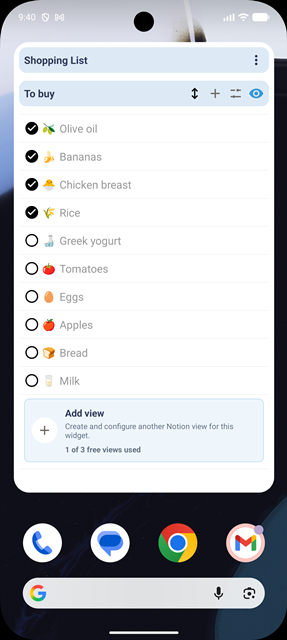
Android home screen showing a NotiZen custom widget view from a Notion database

Database views as widgets

Turn a Notion database view into a focused Android home screen workflow.
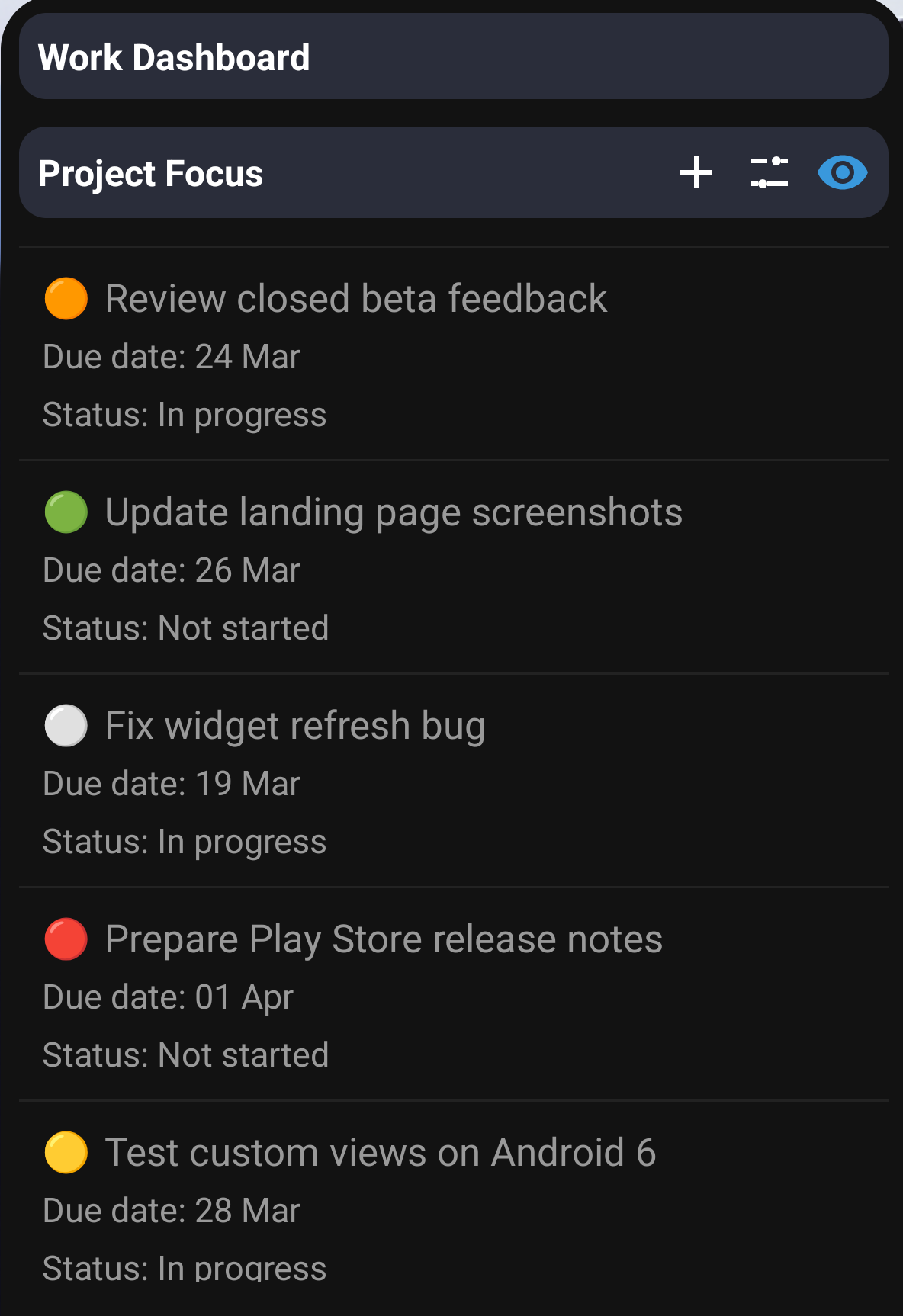
NotiZen widget preview showing a focused work project database view

Separate work and personal context

Use Pro to give each workflow its own widget instead of forcing everything into one list.
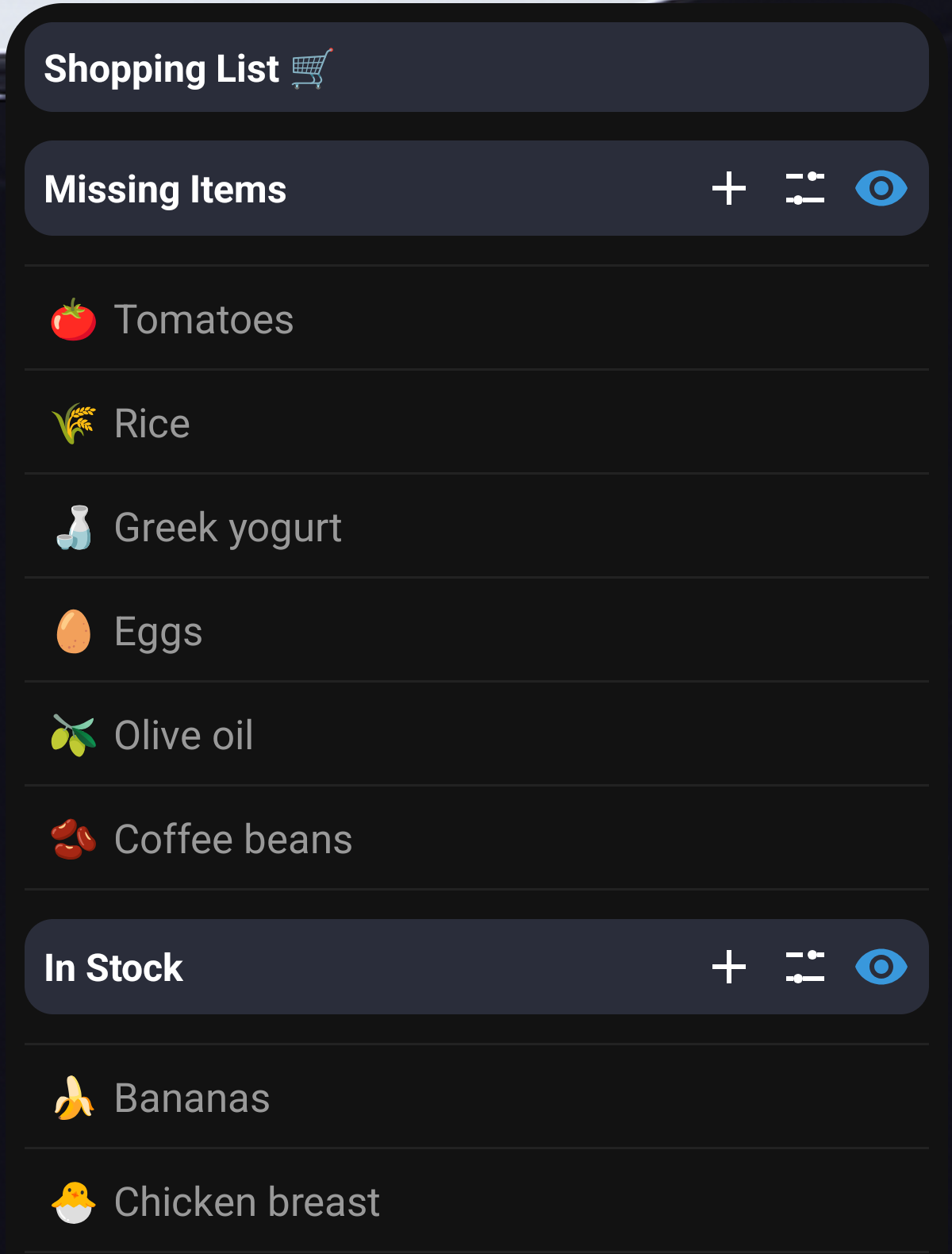
NotiZen widget preview showing a shopping list style Notion database view

Lists and lightweight workflows

Use Notion databases for shopping, reading, planning or other quick-check views.
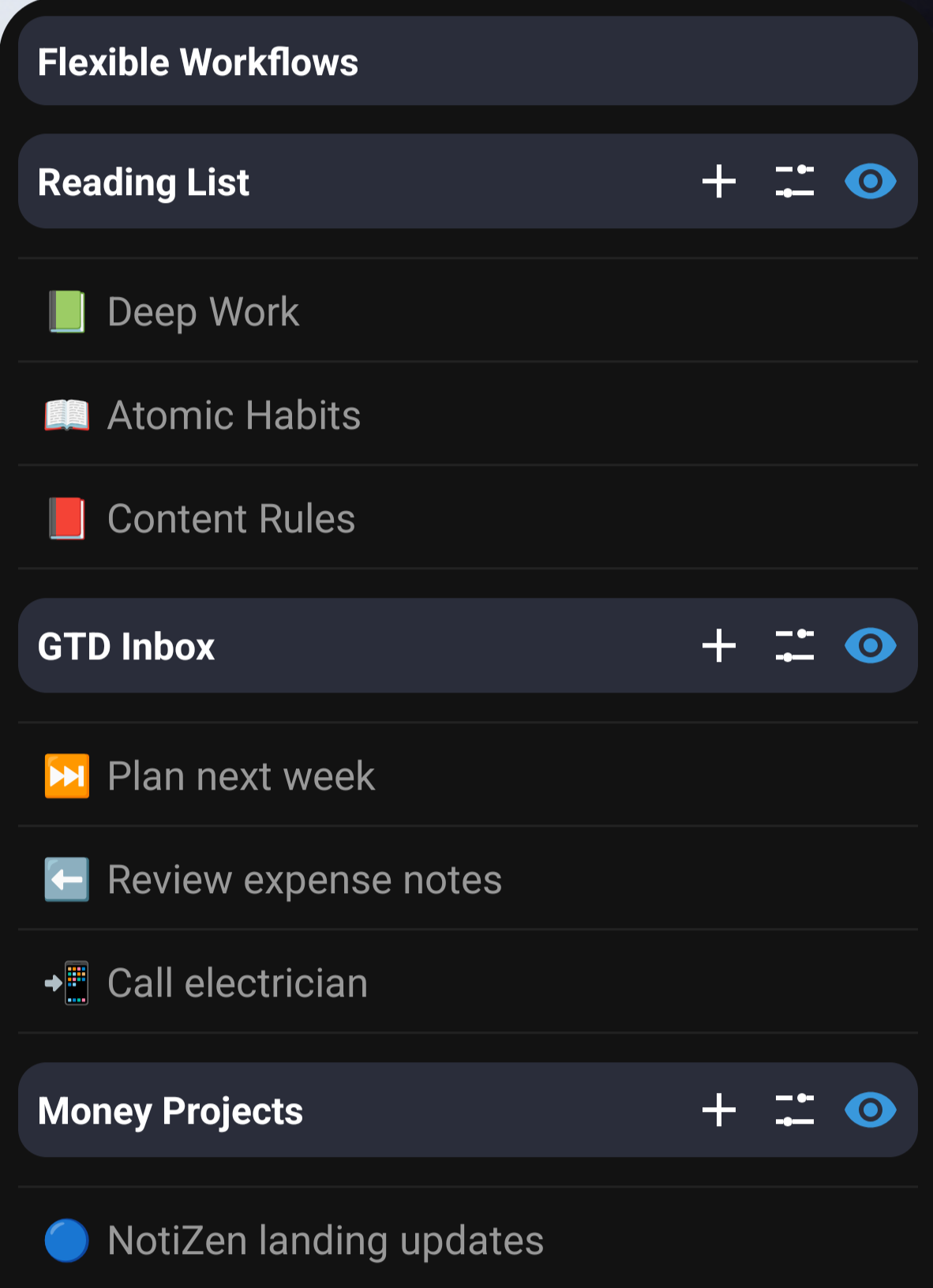
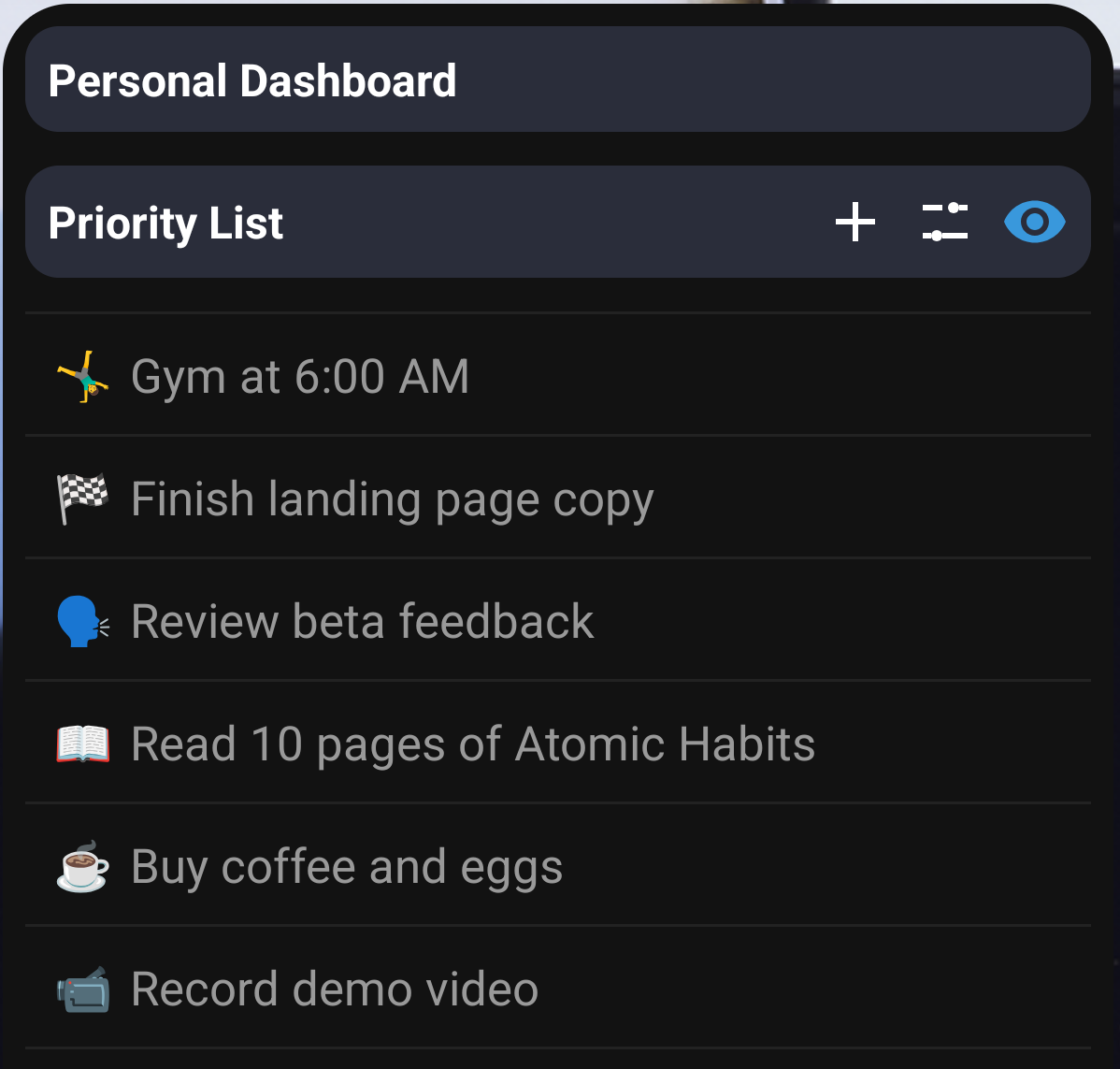
NotiZen widget preview showing a flexible Notion workflow dashboard on Android

Flexible home screen dashboards

Keep the right properties visible, with Pro for advanced filters and dashboard-style workflows.

Pricing

Unlock advanced Notion workflows on your home screen

Start with full access for 7 days. After the trial, Free keeps one widget with one Custom View. Upgrade when you want multiple widgets, additional views, advanced workflows and Backup & Restore.

Core experience

  • Connect Notion
  • View selected Notion databases on Android
  • Keep one widget after the trial
  • Keep one Custom View per widget after the trial

Pro value

  • Multiple widgets
  • More Custom Views
  • Advanced filters and custom sorting
  • Duplicate Custom Views
  • Supported property editing from widgets
  • Advanced layout customization
  • Header metrics and advanced visibility controls
  • Backup & Restore

Free is for trying NotiZen with one Android widget and one Custom View. Pro lets you update supported Notion properties directly from the widget and build serious multi-widget workflows.

7-day full access trial

NotiZen Pro

$4.99/month after trial

Try every Pro feature for 7 days. After the trial, continue with Pro if you want NotiZen as a multi-workflow layer for your Notion setup.

  • Full access during the 7-day trial
  • Multiple widgets
  • More Custom Views
  • Advanced filters
  • Custom sorting
  • Duplicate Custom Views
  • Supported property editing from widgets
  • Advanced layout customization
  • Header metrics
  • Advanced visibility controls
  • Backup & Restore
  • Priority support for Pro users
  • Cancel anytime through Google Play

Without Pro after the trial, you can keep one widget with one Custom View per widget. Multiple widgets, additional Custom Views, supported property editing, advanced filters, custom sorting, header metrics, advanced visibility, advanced layout customization, duplicate Custom Views and Backup & Restore require Pro.

Get it on Google Play

Available now on the public Google Play Store.

FAQ

Pro details without ambiguity

Short answers about Free limits, Pro features, property editing and billing.

What can I keep on Free after the trial?

Free keeps one Android widget and one Custom View per widget, plus the ability to connect Notion and view selected Notion databases on Android.

What does Pro unlock?

Pro unlocks multiple widgets, more Custom Views, advanced filters, custom sorting, duplicate Custom Views, supported property editing, advanced layout customization, header metrics, advanced visibility controls, Backup & Restore and priority support.

Does supported property editing cover every property?

No. Pro includes supported property editing from widgets, with examples including checkbox, date, select and status. Not every Notion property is editable.

Is this full Notion page editing?

No. NotiZen focuses on widget views and supported quick property updates. Use Notion for full page editing and deeper workspace management.

Do I need Google Calendar?

No. Google Calendar is optional read-only context. You can use NotiZen with Notion only.

How do I cancel Pro?

Pro is managed through Google Play Billing, and you can cancel anytime through Google Play.

Download NotiZen Widget

Put your Notion databases on your Android home screen

Start with one widget and one Custom View. Upgrade to Pro when you need multiple widgets, advanced views and supported widget actions.

Get it on Google Play