Get Notion reminders on your Android home screen
Learn how NotiZen Widget turns Notion date properties like Reminder or Due Date into local Android notifications from your Custom Views.
Posted by
 Gustav Caves
Related reading
Plan your Notion agenda with AI using NotiZen JSON export
Learn how NotiZen Widget lets Android users export selected Notion Custom Views and cached calendar events as JSON for ChatGPT, MCP workflows, and weekly planning.
Fixing Notion Native Icons in an Android Widget
A behind-the-scenes look at how NotiZen Widget learned to render Notion native icons, remote icons, SVGs, and color mappings correctly on the Android home screen.
Faster hide picker: less friction, more focus
A small UI upgrade that makes hiding/postponing reminders faster by replacing the old two-column menu with a wheel picker.
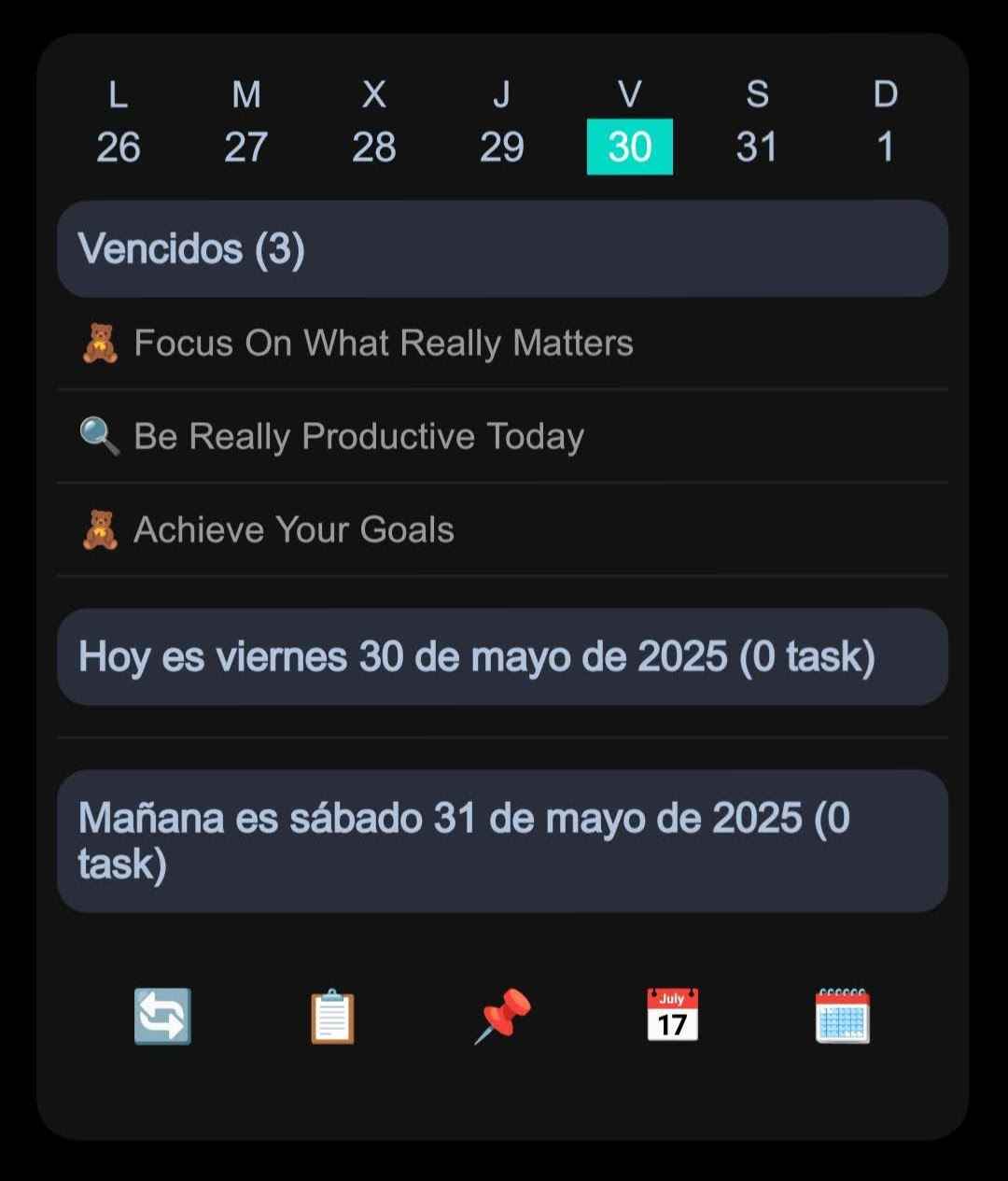
If you manage tasks, projects, or personal routines in Notion, dates are only useful when they help you act at the right time.
A Notion database can tell you what is due, but on Android you often need something more direct: a reminder that appears on your phone when it matters, without opening Notion, searching for the right page, or checking a database manually.
NotiZen Widget now helps with that by turning selected Notion date properties into local Android notifications from your Custom Views.
What are local Notion reminders in NotiZen Widget?
Local Notion reminders are Android notifications scheduled by NotiZen Widget from date properties in your Notion database.
For example, your Notion database may have a date property called Reminder, Due Date, Follow up, or Publish At.
When that property is selected in a NotiZen Custom View, NotiZen can look at the visible items in that view and schedule local notifications for future dates.
This means your Notion data can stay in Notion, while the actual reminder appears directly on your Android device.
Why this matters
Notion is great for organizing information, but reminders can be easy to miss when your workflow depends on opening the app, checking a page, or remembering to look at a database.
That is especially annoying when your Notion setup is already structured around date properties.
You may already have:
- A
Reminderproperty for tasks. - A
Due Dateproperty for deadlines. - A
Publish Atproperty for content. - A
Follow upproperty for clients or personal reminders. - A focused Custom View that only shows the items you care about today.
NotiZen Widget connects that structure to your Android home screen. You can keep your Notion tasks visible in a widget and also receive local notifications when selected date properties are due.
How it works with Custom Views
Local reminders are configured per Custom View.
A Custom View already lets you decide which Notion items should appear in a widget. With this update, you can also choose which date property should trigger notifications for that view.
For example:
- Create or open a Custom View for your Notion task database.
- Enable local notifications for that Custom View.
- Select a Notion date property such as
ReminderorDue Date. - NotiZen checks the visible items in that Custom View.
- Each visible item with a future date can schedule its own Android notification.
If your view shows five tasks with five different reminder times, NotiZen can schedule five separate local notifications.
Example workflow
Imagine a Notion database called Daily Tasks.
It has these items:
Call client- Reminder at 09:30.Send invoice- Reminder at 10:00.Review project notes- Reminder at 10:01.Plan tomorrow- Reminder at 18:00.
If those items are visible in your NotiZen Custom View and Reminder is selected as the notification property, each item can trigger its own local Android notification.
Even if two reminders are close together, they are treated as separate reminders when they belong to separate items.
What happens when a date changes?
Notion workflows are not static. You move tasks, change dates, postpone reminders, and update your plan during the day.
NotiZen now handles those changes more safely.
When a Notion date is edited from the widget or app, NotiZen reconciles the local notifications linked to that Custom View. If the reminder time changes, the old local alarm can be replaced with the updated one.
The notification system can also reprogram existing reminder records when needed. This helps avoid cases where the app knows a reminder exists, but Android no longer has the alarm scheduled.
Built for Android reliability
Android alarms can be affected by app updates, device restarts, time changes, timezone changes, and system behavior.
This update improves how NotiZen handles those cases.
NotiZen can now reprogram local notification records after:
- App updates.
- Device reboot.
- System time changes.
- Timezone changes.
- Date edits from the widget.
- Reminder refreshes after Custom View updates.
It also cleans up expired records and avoids duplicating notifications when a reminder is already known.
Privacy and security note
Local reminders are scheduled on your Android device by NotiZen Widget.
The feature uses the Notion date properties and visible Custom View items already available to the app through your Notion connection. Do not use real private data in screenshots or demos when sharing your setup publicly.
For public examples, use demo databases such as Daily Tasks, Content Calendar, or Project Alpha.
Who is this useful for?
This is useful if you use Notion for:
- Daily task reminders.
- Content publishing schedules.
- Client follow-ups.
- Personal routines.
- Project deadlines.
- Home screen planning.
- Lightweight GTD workflows.
- Focused task lists on Android.
If your Notion database already has meaningful date properties, NotiZen can make those dates more actionable from your Android home screen.
Try it in NotiZen Widget
Create a Custom View, choose the Notion items you want to see, and select the date property that should trigger reminders.
If you are new to Custom Views, start with the Custom Views guide. You can also review the getting started docs or the NotiZen feature overview.
Turn your Notion database into an Android home screen widget. Create focused Notion widgets and receive local reminders from selected date properties.
NotiZen Widget can help you keep your Notion tasks visible, editable, and actionable from your Android home screen. You can also read related product updates in the NotiZen changelog.
FAQ
Can NotiZen send reminders from Notion date properties?
Yes. NotiZen Widget can use selected Notion date properties in Custom Views to schedule local Android notifications for visible items with future dates.
Can multiple Notion items create multiple Android notifications?
Yes. If multiple visible items in a Custom View have future reminder times, NotiZen can schedule separate local notifications for each item.
What happens if I change a reminder date in the widget?
When a supported Notion date is edited, NotiZen reconciles local notifications so changed reminder times can replace old alarms more reliably.
Do close reminder times work?
Yes. Separate visible items with close future reminder times can trigger separate local Android notifications.
Does NotiZen delete anything from Notion when reminders are disabled?
No. Disabling local notifications only affects local Android reminders managed by NotiZen. It does not delete Notion pages, databases, or date properties.
Are these reminders local to my Android device?
Yes. The notifications are scheduled locally on the Android device by NotiZen Widget using the Notion data available to the app.