Does Notion Have an Android Widget? Native Widgets vs Editable Database Widgets
Learn what the native Notion Android widget can do, where it feels limited, and how NotiZen Widget helps turn Notion databases into Android home screen widgets.
Posted by
 Gustav Caves
Related reading
Why connecting Notion can feel confusing — and how NotiZen makes setup easier
Connecting Notion can be confusing when databases do not appear after setup. Learn how Notion page permissions work and how NotiZen Widget makes the setup flow clearer.
Why your Notion databases may not appear in an Android widget
Learn why Notion databases may not appear after connecting Notion, how page permissions work, and how NotiZen Widget now makes setup clearer.
How to manage multiple Notion workspaces on your Android home screen
Learn how NotiZen helps Android users manage multiple Notion workspaces, update shared pages, choose the right database for widgets, and remove local workspace connections safely.
Introduction
Many Notion users search for a widget on Android because they want tasks, databases, reminders, or planning workflows visible without opening the full Notion app. That makes sense: if a workflow is important enough to check every day, it often belongs closer to the home screen.
The short answer is yes, Notion has Android widgets. The more useful question is what kind of widget experience you need. A shortcut-style widget is helpful for opening Notion quickly. A database-focused widget is different: it is designed around showing selected rows, properties, filters, and lightweight actions.
Yes, Notion has native Android widgets
Notion offers native mobile widgets for Android and iPhone. These official widgets are mainly useful when you want quick access to Notion from the home screen, such as opening important pages, workspaces, or related shortcuts faster than browsing through the app.
That is a useful feature, and for many people it is enough. If your goal is to keep a favorite Notion page one tap away, the native Notion widget is the right place to start.
What the native Notion widget is good for
Native Notion widgets work best when the job is navigation. They reduce the friction between your home screen and the Notion page you already know you want to open.
- Opening important Notion pages faster.
- Keeping a favorite page one tap away.
- Accessing Notion quickly from the home screen.
- Simple shortcuts for people who mostly want navigation.
If you use Notion mostly as a place to write, organize pages, or jump into a workspace, this shortcut-focused approach is simple and practical.
Where native widgets can feel limited
Notion itself is powerful. The limitation is not Notion as a product; it is that a home screen database workflow is a more specific use case. If you want something closer to "my database on my home screen," a basic shortcut widget may not be enough.
- Database rows shown directly as a focused workflow.
- Custom Views for different slices of the same database.
- Visible properties chosen for the widget.
- Advanced filters and sorting.
- Supported property editing from the widget.
- Multiple widget setups for different workflows.
- A more Android-home-screen-first productivity layer.
These are not things every Notion user needs. They matter when your Notion workspace includes task lists, project databases, reminders, planning views, or other systems you want to review throughout the day.
What an editable Notion database widget means
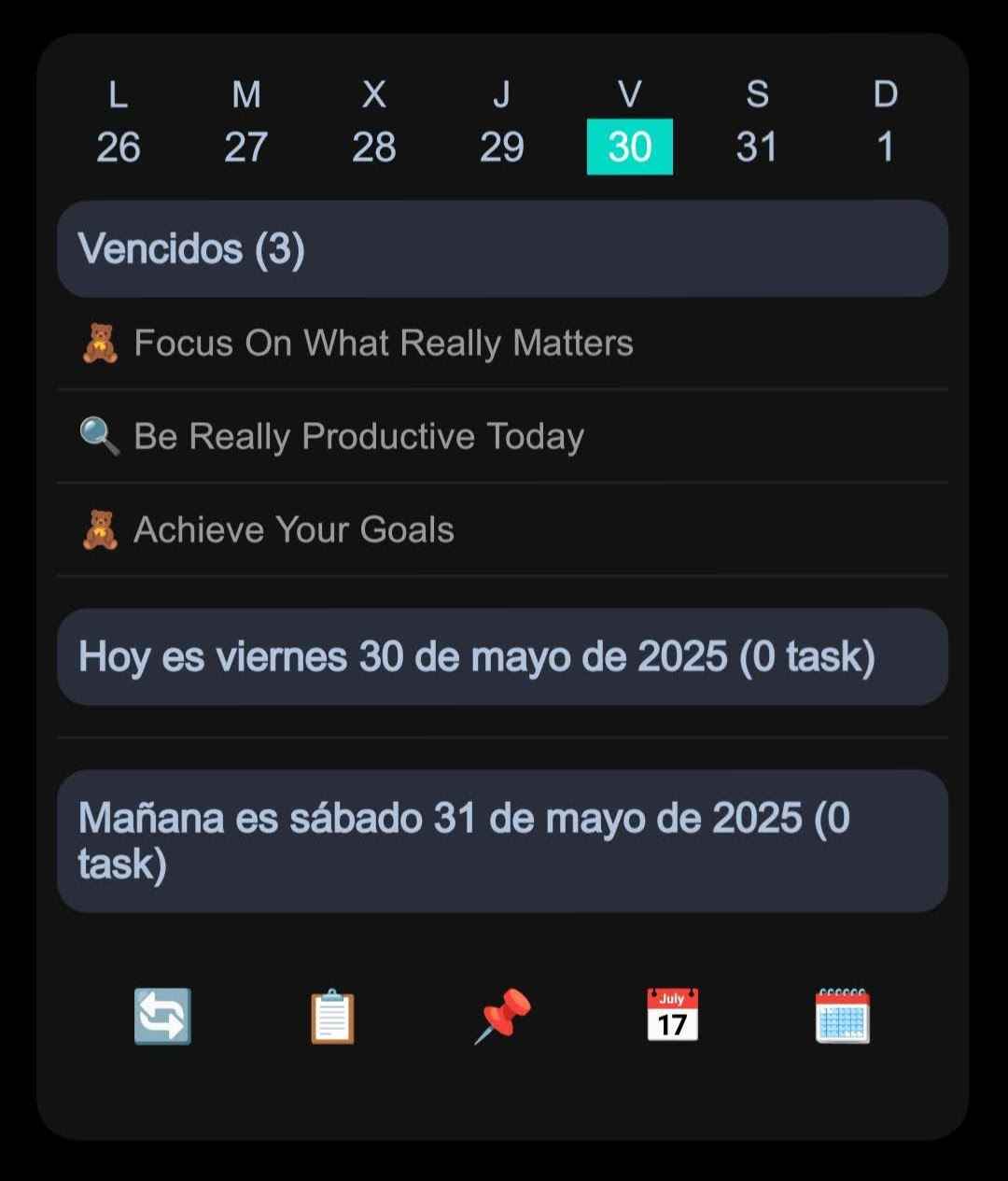
An editable Notion database widget is not just a shortcut. It is a focused view that shows specific information from a Notion database on your Android home screen and, when supported, lets you make quick property changes without opening the full Notion app.
Common quick actions include marking a checkbox, changing a status or select value, or adjusting a date. The important detail is that editing depends on the property type. Some properties can be visible in the widget but remain read-only, while deeper page editing still belongs inside Notion.
How NotiZen Widget fits this use case
NotiZen Widget is built for Android users who want Notion database workflows visible on the home screen while keeping Notion as the source of truth. It is a productivity layer for selected databases and views, not a replacement for Notion.
- Turn selected Notion databases into home screen widgets.
- Create Custom Views for different workflows.
- Show visible properties that make each row easier to scan.
- Use filters and sorting to keep the widget focused.
- Use light, dark, or system appearance.
- Edit supported properties: 5 successful widget actions per day in Basic, unlimited with Pro.
- Start with 1 active widget in Basic; Pro removes usage limits and adds advanced controls.
- Keep Notion as the source of truth, not replace it.
Native Notion widget vs NotiZen Widget
| Feature | Native Notion widget | NotiZen Widget |
|---|---|---|
| Open Notion pages quickly | Yes | Yes |
| Show a selected database workflow | Limited | Yes |
| Use Custom Views | No | Up to 3 saved views in Basic; unlimited with Pro |
| Show selected properties | No | Yes |
| Use filters and sorting | No | Yes |
| Edit supported properties | No | 5 successful widget actions per day in Basic; unlimited with Pro |
| Multiple workflow widgets | Limited | Yes, additional widgets with Pro |
| Replace the full Notion app | No | No - it complements Notion, it does not replace it. |
Basic is free with no time limit and gives you the core NotiZen workflow: Inbox, Today, Upcoming, unlimited actions inside the app, up to 3 Notion data sources, up to 3 saved Custom Views, 1 active widget and 5 successful widget actions per day. Pro is for workflows that grow. It removes the Basic limits on widgets, data sources, saved Custom Views and widget actions, and adds view duplication, compact mode, advanced metrics and advanced visibility controls.
Who should use each option?
Use the native Notion widget if you mostly need quick access to pages. It is a good fit when the home screen should act as a launcher into Notion.
Use NotiZen Widget if you want Notion database workflows visible on your Android home screen. It is better suited to task lists, project trackers, planning views, and focused database workflows where rows, properties, filters, sorting, and supported edits matter.
Related guides
FAQ
Does Notion have an Android widget?
Yes. Notion offers native mobile widgets for Android, mainly focused on quick access to Notion pages, workspaces, or shortcuts from the home screen.
Can I show a Notion database on my Android home screen?
The native Notion widget is useful for opening Notion quickly, but if you want a more focused database widget experience, NotiZen Widget lets you display selected Notion database workflows on your Android home screen.
Can I edit Notion tasks from an Android widget?
Yes. Supported properties such as checkbox, date, select, and status can be edited from a widget. Basic allows 5 successful widget actions per day; Pro removes that limit. Other properties may be visible but read-only.
Is NotiZen Widget an official Notion app?
No. NotiZen Widget is an independent Android app that connects to Notion through authorized access. It is designed to complement Notion, not replace it.
Do I still need the Notion app?
Yes. NotiZen Widget is best used as a focused home screen layer for quick visibility and supported actions. For full editing, page structure, and advanced Notion work, you should still use Notion.
Does NotiZen Widget require a subscription?
Basic is free with no time limit and gives you the core NotiZen workflow: Inbox, Today, Upcoming, unlimited actions inside the app, up to 3 Notion data sources, up to 3 saved Custom Views, 1 active widget and 5 successful widget actions per day. Pro removes usage limits and adds advanced controls through a Google Play subscription.
Is this useful for tasks and reminders?
Yes. It is especially useful if your Notion workspace includes task lists, project databases, reminders, or planning views that you want to keep visible on your Android home screen.
Conclusion
So, does Notion have an Android widget? Yes. The native widget is useful for quick access to Notion pages and shortcuts. If your goal is a more focused database workflow on the Android home screen, NotiZen Widget is designed for that more specific layer.
If you want your Notion tasks, views, and selected database properties closer to your daily workflow, try NotiZen Widget with the free Basic plan on Android.